

No tracker tag? Gemini can now store item locations right
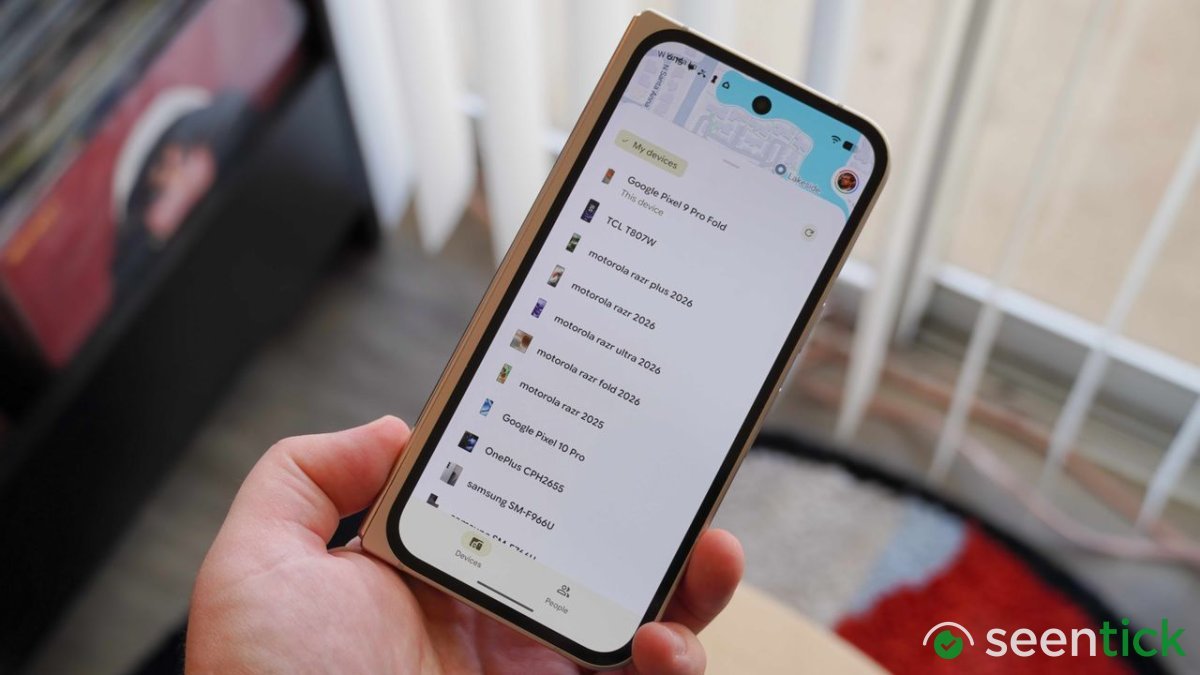
No tracker tag? Gemini can now store item locations right
Key Highlights
- What you need to know Gemini can now remember where you left important items, even without a tracker.
- You can tell Gemini where you stashed an item or snap a quick photo, and it logs the detail directly to Find Hub.
- Then, ask Gemini where your item is later, or view all saved locations in Find Hub's new memory tab.
Google's September Android Drop is set to revolutionize the way we manage our misplaced items, thanks to a game-changing update to Find Hub.
Starting with this latest change, Gemini users can now tell their assistant where they left an important item without needing a tracker attached. Simply say, "Hey Google, remember in Find Hub that I put my passport in my bedroom drawer," and optionally attach a photo for added context.
Read More: I Can't Believe How Good Razer's Tiny New Mobile Controller Really Is: In-Depth Review
Gemini will then save information
Gemini will then save the information in a dedicated "remembered items" tab in Find Hub, making it easy to retrieve later. This feature addresses a long-standing issue with Google's current tracking setup, which is best suited for tagged belongings.
However, many of us struggle with misplacing everyday essentials like passports, spare keys, and documents. The new Gemini feature provides a lightweight memory layer for these items, providing a convenient solution without the need for additional hardware.
Also Read: Is It AI? Instagram Gets Crystal Clear with a Reworked Labeling System for Generated Content
The update will be rolled out to Android 16 and newer devices in countries where Gemini and Find Hub are supported, with an expected release date soon.
This September Android Drop is packed with exciting enhancements, including Motion Assist to alleviate motion sickness and new upgrades to Google Messages. But for those of us who spend far too much time searching for lost items, this new Gemini feature may be the most impactful update of all.
What's Your Reaction?
 Like
1
Like
1
 Dislike
 Love
Love
 Funny
Funny
 Wow
1
Wow
1
 Sad
Sad
 Angry
Angry

Tech journalist and AI enthusiast who enjoys keeping up with the latest in hardware, processors, emerging AI tools, and software. I like digging into new technology, understanding how things actually work, and following the developments that could shape the way we use technology in the future.






Comments (0)